
QR Codes on ID Badges: 5 Uses Most Companies Haven't Tried
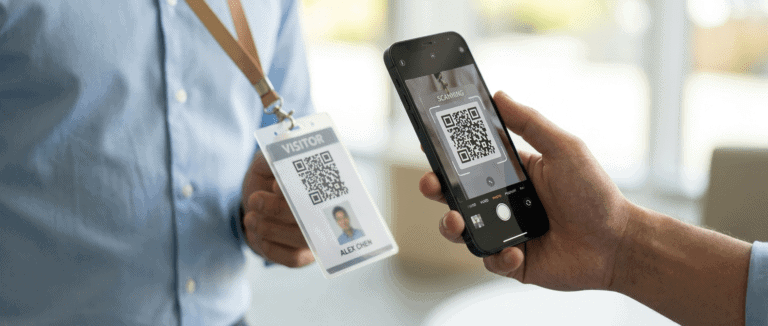
Most teams think a QR code on an ID badge is just a fancier barcode. Scan it at the door, log the entry, move on. While that’s useful, it’s only scratching the surface. The companies getting the most from their ID badge systems are using QR codes to do things most operations managers haven’t considered.
Here are five of them.
1. Instant Digital Contact Sharing
Every time a staff member hands over their business card, there’s a chance it ends up in a drawer (or the recycling bin). A QR code on their ID badge can link directly to a digital contact card (vCard), a LinkedIn profile, or a company directory listing.
One scan and the visitor has everything they need: name, role, phone number, email. No business cards to print, no details to type in. For client-facing roles (sales teams, account managers, reception staff), this is a small change with a noticeable impression.
2. Real-Time Access Logging Without New Hardware
Traditional access logging relies on card readers at every entry point. That’s expensive infrastructure, especially across multiple zones or sites.
Meanwhile, a QR-enabled badge paired with a standard smartphone or fixed scanner gives you the same result at a fraction of the cost. Security staff can scan a badge and instantly pull up access history, clearance level, and any notes attached to that credential — no dedicated reader required.
For organizations that need audit trails but can’t justify a full access control overhaul, this is one of the most practical upgrades available.
3. Visitor Self-Check-In
Long queues at reception waste everyone’s time. A QR code on a visitor’s day pass can link to a self-check-in form or automatically notify the person they’re meeting.
It works like this: the visitor scans their badge on arrival, confirms their details, and their host gets pinged instantly. Reception staff spend less time on admin and more time on anything that needs a human touch.
This works especially well in healthcare facilities, corporate offices, and manufacturing sites where visitor volume is high and check-in bottlenecks create real operational friction.
4. Emergency Muster and Roll Call
In an emergency evacuation, knowing who’s on site and who’s accounted for is critical. Paper-based roll calls are slow and error-prone. Digital systems that rely on fixed terminals can fail if power goes down.
A QR code on each badge, scanned by a supervisor with a mobile device at the muster point, gives you a real-time headcount in seconds. The data can feed directly into your emergency management system or a simple shared spreadsheet, depending on what you have in place.
It’s a low-tech solution to a high-stakes problem, and it requires no additional investment beyond your existing badge infrastructure.
5. Credential Verification for Contractors and Temporary Staff
Permanent employees are straightforward to credential. Contractors, temps, and rotating subcontractors are a different challenge. Their clearances, certifications, and site authorizations change frequently and keeping physical records current is an administrative headache.
A QR code on a contractor badge can link to a live profile that reflects their current status: which zones they’re cleared for, which certifications are valid, and when their access expires. A single scan tells a security officer or site supervisor everything they need to know without the need to chase paperwork.
For industries like construction, warehousing, and manufacturing, where subcontractor rosters can change weekly, this is one of the highest-value applications of QR-enabled badging.
More Than a Check-In Tool
A QR code on an ID badge isn’t just a check-in tool. It’s a live connection between a physical credential and digital information — and that connection can be put to work in ways most organizations haven’t explored yet.
If your current badge system only scans for attendance, you’re leaving a lot on the table.
Interested in what a QR-enabled ID badge system could look like for your team? Get in touch, and we’ll walk you through the options.
Table of Contents
Trades ID Badges Built for Rough Conditions, Fast Identification, and Site Control
Why Service Trades Need Better ID Badges Plumbers, electricians, HVAC technicians, and other service trades often work across multiple sites in a single day, which
Security ID Badges That Strengthen Access Control, Trust, and Site Visibility
Security ID Badges That Strengthen Access Control, Trust, and Site Visibility Security teams rely on fast decisions. A badge helps answer one of the most
Chemically Resilient ID’s for Industrial Environments
Your Badge Is Being Eaten Alive — Here’s How to Stop It You know that moment when a welder flashes you a grin and their